
Picsart AI Photo Editor, Video
PicsArt, Inc.Photography
3.9435.93K Reviews
- Version
- 31.1.6
- Installs
- 1.00B
- Age Rating
- Teen
Screenshots
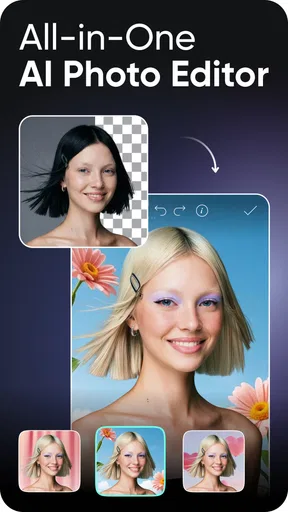
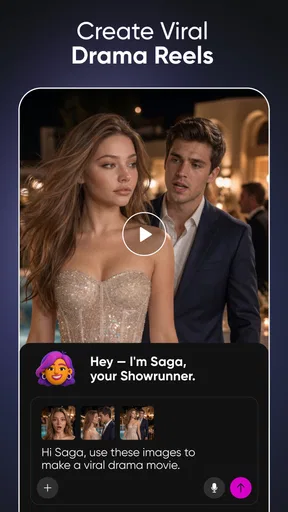
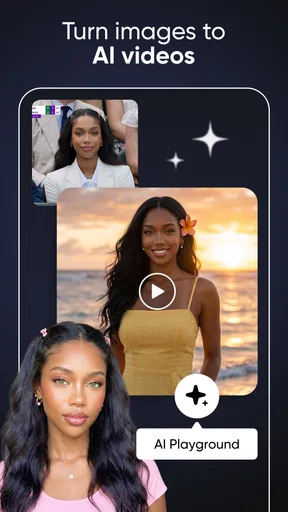
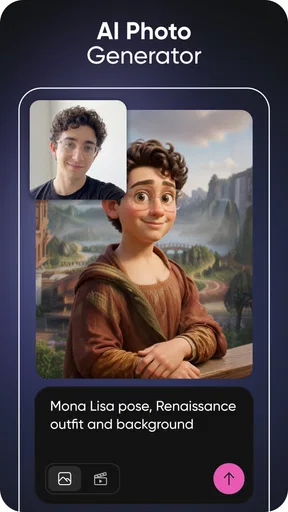
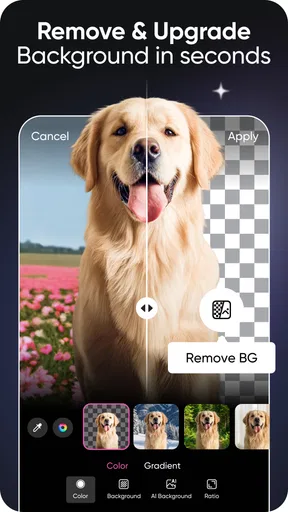
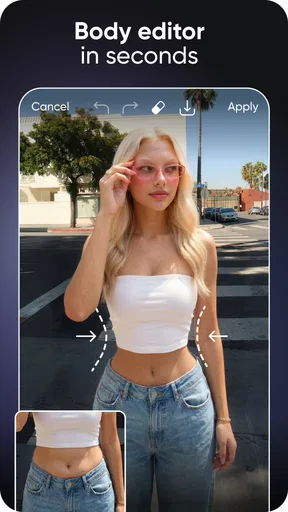
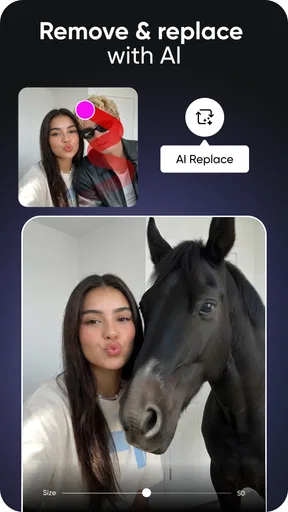
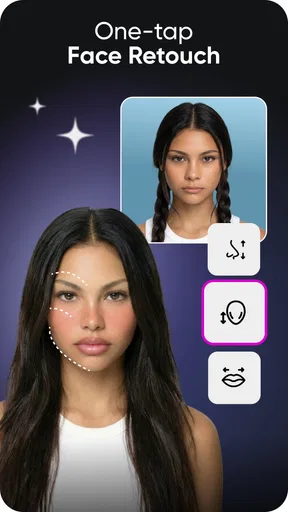
Our Review of Picsart AI Photo Editor, Video
 Analysis by Appyee
I reach for Picsart when a photo needs more than a quick brightness adjustment: perhaps a distracting object is in the frame, or a plain background is making a perfectly good portrait feel unfinished. It is a creative photography app from PicsArt, Inc., built around hands-on editing and AI-assisted changes. My view is that it works best as an approachable creative workshop, not as a replacement for every dedicated photo or video tool.
What free access does—and does not—settle
Picsart is free to download, so you can start experimenting without paying up front. In-app purchases range from $0.99 to $219.99 per item, which is a broad span; I would check the purchase details in the app before committing to anything. Free access is useful for trying the editing workflow, but it does not mean every tool or convenience is included at no cost.
The app has a 4.0 average from around 12 million ratings, and it has passed one billion installs. Those figures suggest it is a familiar option for many people, but popularity is not a guarantee that every edit will suit your taste. It is rated for teens, so I would also keep that audience in mind when considering its creative and community-facing features.
Where the value shows up in an actual edit
The clearest value for me is being able to move from a small correction to a more imaginative change without treating each job as a separate project. Removing an unwanted object, trying a different background, and then adjusting the overall look can all belong to the same creative session. That makes Picsart especially handy when a picture is almost right but needs a specific fix before I share it.
For example, imagine taking a quick portrait outside and later noticing a sign or passerby behind the subject. I would first duplicate or otherwise preserve the original image outside the editing process if I wanted a fallback, then try removing the distraction. If the result looks unnatural around hair, sleeves, or other fine edges, I would undo it and use a tighter selection or a crop instead. The useful lesson is not that an automated removal always succeeds; it is that a small, careful correction can be quicker than rebuilding the whole image.
Background changes can also be practical rather than purely decorative. A casual product photo for a group chat or a small online listing may look clearer against a simpler setting. I would inspect the subject’s outline closely before sharing, especially around transparent objects, loose hair, or shadows. AI-assisted cutouts can save effort, but edge cleanup and believable lighting still depend on the image and the edit.
Choosing Picsart over a simpler editor
Compared with a basic phone gallery editor, Picsart is the better fit when I want layered creative choices and more than standard crop, rotate, or tone adjustments. A built-in editor is often faster for a quick straighten or a minor exposure change, and it avoids opening a larger creative environment for a tiny job. I would use Picsart when the goal is a visible transformation, not merely a tidy-up.
It also sits differently from a narrowly focused background-removal app. A specialist can be a more direct choice if all I need is a clean cutout, while Picsart is more appealing when I want to continue editing that image after the subject is separated. The trade-off is that an app with a broader creative scope can take longer to navigate. If you only edit a photo once in a while, that extra choice may feel like clutter rather than value.
For short clips, having video tools within the same app can reduce the need to switch between separate editors for basic work. That convenience matters if I am preparing a quick social post from both stills and clips. For a project that depends on precise timing, detailed audio control, or a specialized workflow, I would compare a dedicated video editor instead; the fact that a tool is included does not automatically make it the strongest option for every job.
A useful way to judge the free experience is to try one complete task before deciding whether a purchase is worthwhile. Pick a photo you already want to improve, make the edit, and see whether the available tools let you finish it comfortably. If you repeatedly hit a paid feature or find an ad interrupts your flow, then compare the cost shown for that specific purchase with how often you expect to use it. Occasional users may be better off staying with free access or using the phone’s built-in editor for routine fixes.
I would not pay simply because a premium option exists. First decide which limitation is actually bothering you, then check whether the relevant paid feature addresses it. The listed purchase range is wide, so it is more useful to inspect the individual offer than to assume there is one straightforward upgrade price. That small pause can prevent paying for tools you will rarely open.
The app’s background and object workflows reward a little patience. I find it helpful to work on one problem at a time: remove a distraction, inspect the result at normal viewing size, and only then move on to color or effects. If I apply several dramatic treatments before checking the cutout, it becomes harder to tell which step made an edge look odd. This order is a simple way to keep an edit believable.
Another practical trade-off is the difference between a fun edit and a faithful photograph. A swapped background or strong AI effect can make an image more eye-catching, but it may no longer represent the scene as it happened. That is perfectly fine for a playful post or a personal collage; for a documentary image, a work profile, or a product photo where accuracy matters, I would keep changes restrained and examine the finished image carefully.
People who enjoy experimenting are likely to get more from Picsart than people who want a single button to make every picture look finished. The same flexibility that encourages trying different treatments also asks you to make choices about the result. If you prefer a consistent look with minimal adjustment, a simpler editor or a dedicated preset-based app may suit you better. If you like adjusting an image until it feels distinctly yours, the creative range is the point.
Getting Started with Picsart
First things first, downloading and setting up Picsart AI Photo Editor, Video is a breeze. Available on both Android and iOS, the app has a user-friendly interface that makes it super easy to dive right into editing. Once you open the app, you’re met with a colorful and intuitive layout that’s like a playground for creativity.
The app has been available since November 4, 2011, and its current version is 29.9.9. On Android, it requires version 6.0 or later. Those details make it easier to judge compatibility before installing, especially if you are setting it up on an older device. I would still expect the feel of editing to depend on the screen and the image: close inspection of a cutout is easier on a larger display than on a small phone screen.
Features That Stand Out
What really gets me excited about Picsart is its wide range of features. From basic editing tools like cropping and rotating to more advanced options like AI-powered effects and filters, this app has it all. The AI tools are particularly impressive, allowing you to change backgrounds, enhance images, and even create stunning double-exposure effects with just a few taps.
For the most useful results, I would treat those tools as starting points rather than final judges. A background swap may work neatly on a clear portrait but struggle with a subject whose edges blend into the scene. Zooming in to inspect hair, glasses, or a patterned sleeve before exporting can catch problems that are easy to miss in the editing view. Conversely, if the image is only going to be seen as a small thumbnail, spending a long time perfecting every edge may not be worth it.
And it’s not just about photos! Picsart also offers video editing capabilities. You can easily trim, merge, and add music to your videos, making it a versatile tool for content creators. The video editor is integrated seamlessly, so you don’t have to switch between apps, which is a huge plus for efficiency.
I see that integration as most useful for simple, quick-turnaround clips: trimming the start and finish, combining a few moments, and adding music before sharing. It is less compelling if your work depends on detailed control over a long sequence. A good rule is to start with a short sample and make sure the controls feel comfortable before bringing a larger project into the app.
Exploring the Community Aspect
One of the features I find particularly cool is the community aspect. Picsart lets you connect with other users, share your creations, and even participate in fun challenges. It’s like having a supportive community of creatives right at your fingertips. Plus, you can discover trending edits and get inspired by what others are doing. It’s a fantastic way to push your creative boundaries.
I would use that side of the experience as a source of ideas, not as a checklist of styles to copy. Looking at how other people approach backgrounds, layering, or effects can help me decide what to try on my own photo. If I only want a private, practical edit, I can focus on the editing tools and leave the community features aside; sharing and browsing are extras, not a requirement for fixing an image.
Easy on the Wallet
Now, let’s talk about pricing. While Picsart is free to download and offers a lot of features at no cost, there is a premium version available. The premium version unlocks even more editing tools and removes ads, which can be a bit distracting if you’re a frequent user. If you’re serious about your photo and video editing, the premium version is worth considering, but the free version is still pretty robust.
For my own decision, frequency matters more than the label “serious.” Someone editing portraits or social posts every week may appreciate fewer interruptions and extra tools, while someone making an occasional crop may get everything they need from free access. Because in-app purchases vary in price, I would check the particular offer and decide whether its benefit matches a recurring need instead of treating an upgrade as automatic.
In conclusion, whether you’re just dabbling in photo editing or you’re a seasoned pro, Picsart AI Photo Editor, Video offers something for everyone. Its blend of powerful features, community engagement, and ease of use make it a must-have app on any device. Go ahead, give it a try, and let your creativity run wild!
Who is likely to get the most from it?
I would recommend giving Picsart a try if you regularly prepare images for social posts, enjoy playful visual experiments, or need to remove a distracting detail without learning a complex desktop editor. It is also a sensible option for someone who alternates between photos and basic video edits and prefers keeping those jobs in one place. The key benefit is having room to progress from quick fixes to more expressive edits as your confidence grows.
I would skip it if all you need is a fast crop, if you dislike exploring a busy creative toolkit, or if you require highly controlled professional retouching or video production. In those cases, the phone’s native editor or a focused specialist may be quicker and more predictable. My buy-or-skip verdict is to start free, test the exact edit you care about, and only consider a purchase when a particular paid tool or reduced ad interruption would make a real difference to your routine.
Privacy and Permissions
See what permissions an app requests and how it handles your data.
- Contacts
- read your contacts
- Photos/Media/Files
- read the contents of your USB storage, modify or delete the contents of your USB storage
- Storage
- read the contents of your USB storage, modify or delete the contents of your USB storage
- Camera
- take pictures and videos
- Microphone
- record audio
- Wi-Fi connection information
- view Wi-Fi connections
- Other
- view network connections, full network access, change your audio settings, reorder running apps, control vibration, prevent device from sleeping, Google Play license check, read Google service configuration
How Picsart AI Photo Editor, Video Compares
Full ComparisonChoose Picsart for varied photo and video creativity, Photoshop Express for quick, approachable edits, or Lightroom for deeper color work and edits that preserve originals.
| App | Developer | Rating | Price |
|---|---|---|---|
 Picsart AI Photo Editor, VideoThis App | PicsArt, Inc. | 3.9 | Free |
 Photoshop Express Photo Editor | Adobe | 4.6 | Free |
 Lightroom Photo & Video Editor | Adobe | 4.5 | Free |
Verdict
Strengths of Picsart AI Photo Editor, Video
- Easy-to-use interface for beginners.
- Wide range of editing tools available.
- Regular updates with new features.
- Comprehensive library of filters.
- Supports both photo and video editing.
Limitations of Picsart AI Photo Editor, Video
- Contains in-app purchases.
- Requires a stable internet connection.
- Can be resource-intensive on devices.
- Occasional ads in the free version.
- Some features locked behind paywall.
Similar Picks in This Category
View All
Google Photos
Google LLC4.4

Gallery
Google LLC4.2

B612 AI Photo&Video Editor
SNOW Corporation4.1

BeautyPlus-Selfie Photo Editor
PIXOCIAL TECHNOLOGY (SINGAPORE) PTE. LTD.4.5

Remini - AI Photo Enhancer
Bending Spoons4.1

FaceApp: Perfect Face Editor
FaceApp Technology Ltd4.3
You May Also Like
View All

Frequently Asked Questions
What are the main features of Picsart AI Photo Editor & Video?
Picsart AI Photo Editor & Video offers a wide range of features including AI-powered photo editing tools, video editing capabilities, customizable filters, text overlays, and a vast library of stickers and templates. Users can also collaborate with others through remixing options and share their creations directly to social media platforms.
Is Picsart AI Photo Editor & Video free to use?
Picsart offers a free version with basic features, but to access premium tools, users can opt for a subscription. The premium version includes advanced editing features, an ad-free experience, and access to exclusive content. It’s advisable to try the free version first to see if it meets your needs before upgrading.
How user-friendly is the Picsart app for beginners?
Picsart AI Photo Editor & Video is designed to be user-friendly, with an intuitive interface that makes navigation easy for beginners. It offers tutorials and guides to help users get started, and the AI tools simplify complex editing tasks. However, mastering all features may require some time and practice.
Can Picsart handle high-resolution images and videos?
Yes, Picsart can handle high-resolution images and videos. The app supports editing in HD and provides tools to maintain quality during the editing process. However, using high-resolution files may require more processing power and storage, so ensure your device meets the necessary specifications for optimal performance.
Is Picsart suitable for professional use?
While Picsart is widely popular among casual users, it offers advanced editing tools that can be useful for professionals as well. The app includes features like layer editing, AI enhancements, and a wide array of effects. However, it may lack some of the more specialized features found in dedicated professional software.
